
One person needs a shopping list and a reminder to make a call. Another needs a board with assignees, deadlines and a way to review results. Both search for the “best task planner”, but the right applications may be different.
Below are six services for personal work and small teams. The comparison uses official feature and pricing pages checked on October 9, 2026. It is a shortlist by workflow, not a ranking based on long-term hands-on testing. This article appears on the iTasker blog; our product is included using the same criteria: who it suits and what to check before choosing.
First, define the problem you are solving
Write down three situations in which your current system lets you down. For example: agreements disappear in Telegram; Friday's report gets forgotten; a manager has to ask everyone for an update.
Turn those situations into requirements. Lost agreements need quick task capture. A forgotten report needs recurrence and a notification. Repeated status questions need a shared board. The number of advertised features does not matter yet.
| Service | Strength | When to shortlist it |
|---|---|---|
| iTasker | Telegram task capture, voice input and a shared board | Work starts in chat and needs deadlines and visible progress |
| Todoist | Quick input and personal lists | You want to organize personal work into projects |
| TickTick | Tasks alongside a calendar, habits and focus sessions | You plan personal work together with recurring routines |
| Trello | A board with cards | Tasks mainly move through a sequence of stages |
| YouGile | Boards and task chats | Your team is ready to discuss work inside the tracker |
| WEEEK | Tasks alongside other work tools | You need a shared project workspace |
iTasker: Telegram tasks with a board in your browser
In iTasker, you can create a task from text or a short voice message, or turn a message in a linked group chat into a task by replying with /new. Work is then available in the Mini App and web application.
iTasker's strength is the short path from discussion to delivery: capture the assignment in the chat you already use, then manage assignees, deadlines and statuses on a shared board. Recurring tasks and reminders support routine work; dated and timed tasks can sync with Google Calendar. This combination suits both personal planning and small teams.
During a trial week, check task creation from a message, assigning a teammate and notification delivery. Verify AI quotas, reminder limits and team features against the current plan, just as you would with other services.
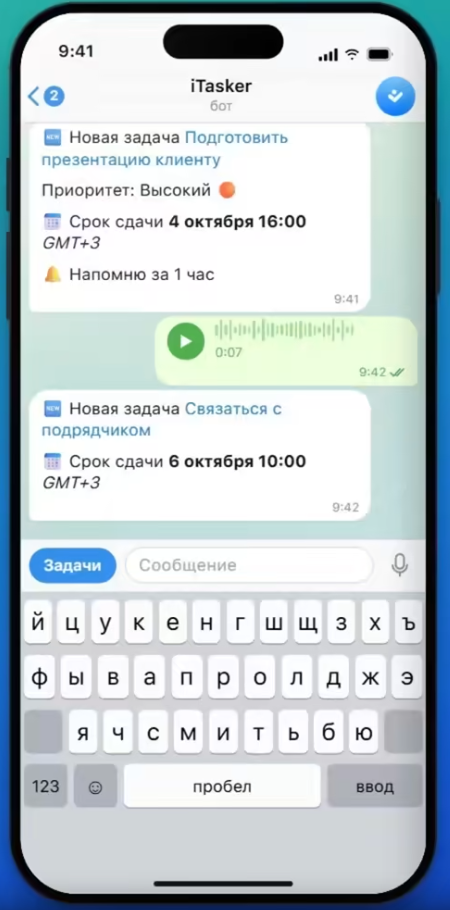
Frame from the official iTasker overview, showing a recognized task, deadline and reminder. This demonstration uses the Russian interface, not a private conversation.
Todoist: personal tasks and clear lists
Todoist supports quick input, lists and boards. Its free Beginner plan lists five personal projects, reminders and limited activity history. Calendar layouts and additional capabilities are included in paid plans.
Start here if you want to organize personal work into projects and add tasks quickly. Before adopting it for a team, check the separate workspace conditions: the personal free plan does not describe every collaboration cost.
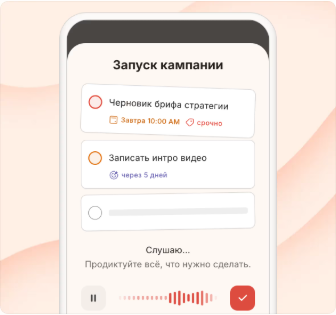
Product demonstration from Todoist's feature page, with Russian interface text. Verify availability on your chosen plan separately.
TickTick: tasks with focus tools
TickTick offers a calendar, recurrence, Pomodoro and habit tracking alongside lists. It is a candidate for someone who wants work tasks and personal routines in one place.
During a trial week, note which features you actually use. If you only need a list of five items, extra modes may add little value. A feature page also does not mean everything shown is included in the free plan: check the subscription separately.
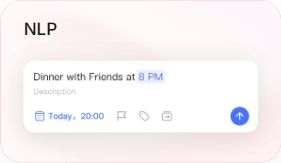
Task input example from the official TickTick feature page. This shows one interaction, not the entire application.
Trello: work on a board of cards
Trello organizes work into columns. The free plan allows up to ten collaborators and ten boards per Workspace, with cards, assignees and due dates. Automation has a quota; extra views and settings depend on the plan.
Consider it when your team's main question is “What stage is this task at?” If a daily schedule matters more, first test your everyday workflow and identify which parts require a subscription.
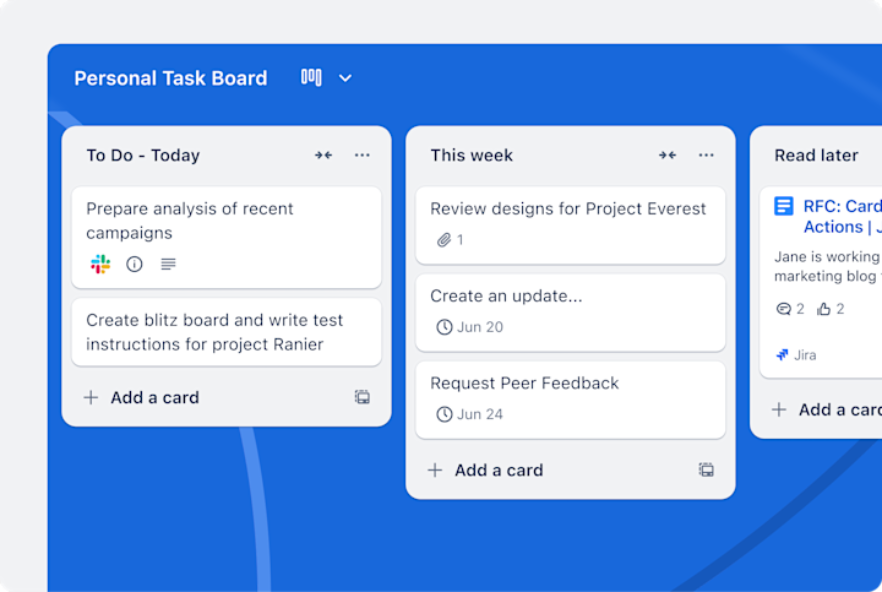
Demonstration board from the Trello website, showing columns, cards and deadlines. This is the manufacturer's example, not our test project.
YouGile: tasks with discussion inside the service
YouGile centers teamwork on boards and task chats. Its pricing page states that the first ten cloud users are free.
It suits a team ready to discuss work inside the tracker. Check whether conversations will actually move there: if decisions remain in a different chat, someone will still need to copy them into cards.
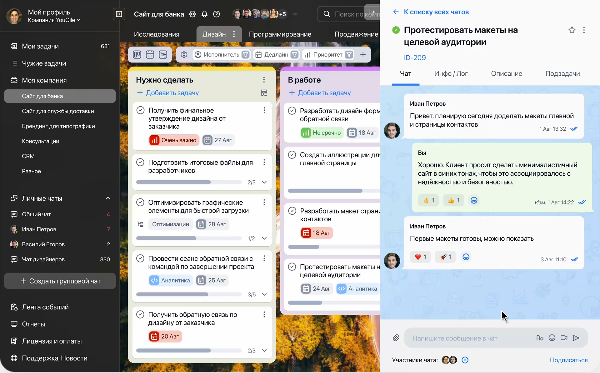
Official YouGile demonstration: the task discussion opens beside the board. The interface shown is Russian.
WEEEK: several tools for project work
WEEEK combines task management with other tools, including a knowledge base and CRM. Consider it when assignments are only one part of organizing your work.
Start with one project and a minimal set of views. Before growing the team, check pricing, participant limits and the features you need. You do not have to adopt every available tool at once.
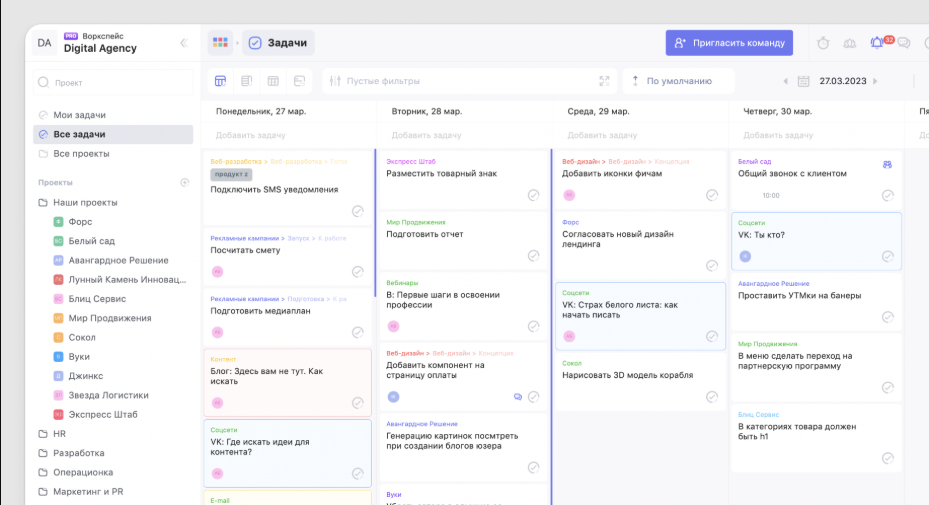
Demonstration from the WEEEK website: projects on the left, tasks by day on the right. Russian interface; the installed version may look different.
How to test a planner in one working week
Use real work, not twenty demonstration cards. A few tasks with different properties are enough for personal use; one small project works for a team.
At the end of the week, ask whether fewer agreements were forgotten and fewer status questions were needed. If not, investigate why. The service may be awkward, or the team may not have agreed where to record results. A new tool does not establish working rules by itself.
What pricing comparisons often miss
Compare the cost of your workflow. “Free” may mean limits on projects, participants, history, automation or AI. With paid plans, check who counts as a billable participant and how annual billing works.
For services paid for internationally, separately verify registration and a payment method available to you. A free plan on a website does not establish that an upgrade can be paid for from every region.
After choosing a tool, use our kanban guide to set up a team board. If vague assignments are the problem, start with the task assignment template.