A kanban board for a small team: how to set it up without turning it into a dumping ground

In a small team, tasks usually live in chats, personal notes and the manager's head. With two or three people that works. With five to seven, the questions start: "Who's doing this?", "What happened to that report?", "Why isn't this finished yet?". Answering each of them costs time, yet it's too early for a full-blown project management system.
A kanban board solves exactly this: it shows what the team is doing right now and takes almost no setup. In this article we'll look at how to build one, which columns to use and which rules keep the board useful instead of turning it into a warehouse of cards.
Kanban in plain words
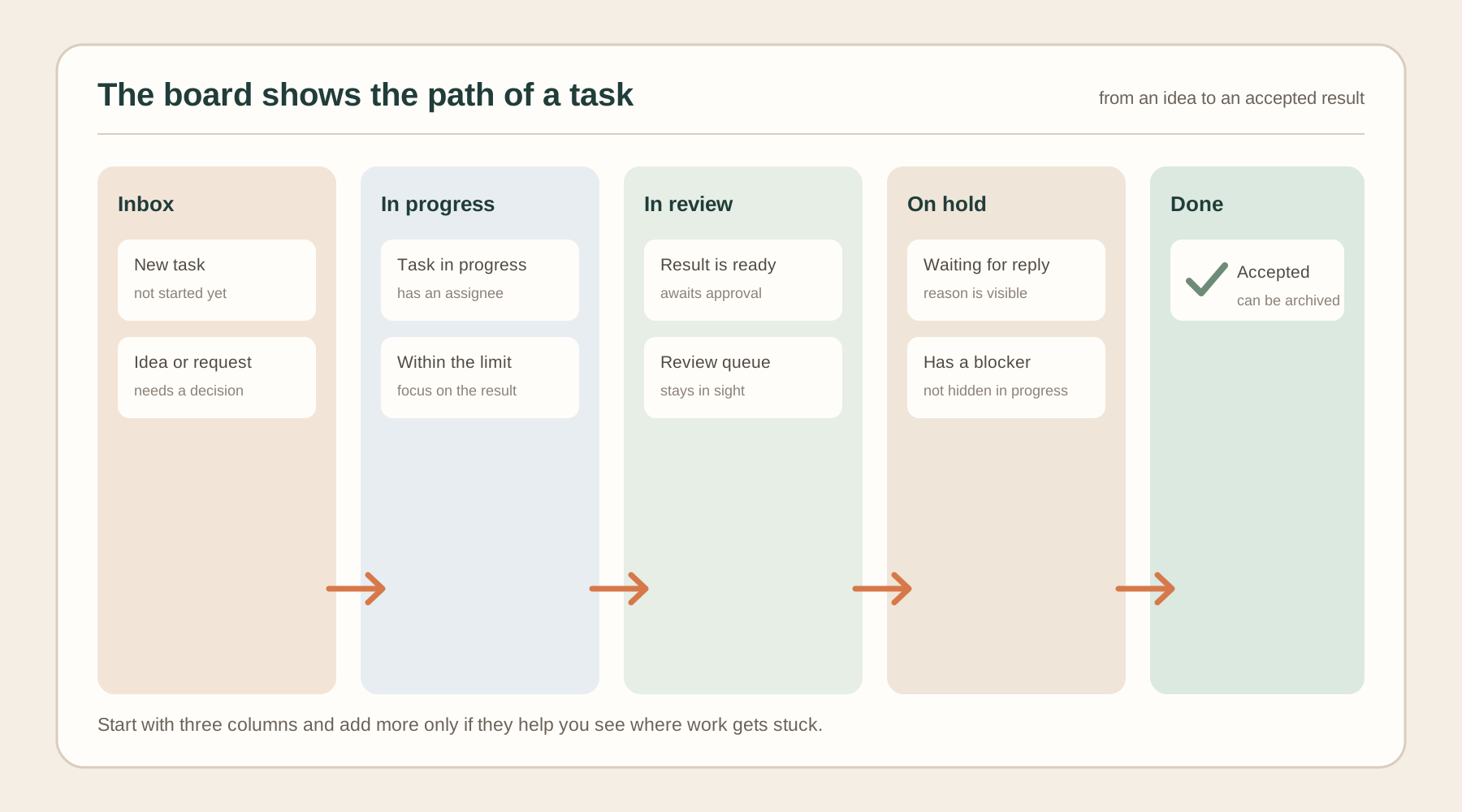
Kanban is a way to manage work with a board split into columns. Each task is a card, and the column shows its stage, for example "Inbox", "In progress", "In review", "Done". A card moves from left to right as the work gets done.
The method rests on three ideas:
- Work is visible. Anyone on the team sees in a second what is in progress, what is waiting for review and what is already done.
- Little is left unfinished. Only a limited number of tasks are in progress at once. You don't start the next one until you finish the current one.
- Work flows. If cards get stuck in one column, you see the bottleneck and deal with it instead of adding people and deadlines.
The main difference from a plain to-do list: kanban shows not only what needs to be done, but also where each task stands and who is working on it right now.
What a board is made of
- Card: one task. It holds the title, the assignee, the due date and a description with the criteria for "done". We covered how to write such descriptions in "How to assign a task to an employee".
- Column: the stage the task is at.
- Assignee: one person per card. A card with two assignees has, in practice, no owner.
Which columns to choose
Four or five columns are enough for a team of 3–10 people. More columns mean more places where tasks get lost and more time spent dragging cards around.
| Column | What's in it | When a card lands here |
|---|---|---|
| Inbox | Tasks nobody has started yet | A new task or idea has come up |
| In progress | What the assignee is working on now | The assignee has started |
| In review | The result is ready and waits for approval | The assignee has finished and waits for the manager or a colleague |
| On hold | Paused tasks | We're waiting for someone's reply, data or a decision |
| Done | Accepted tasks | The result has been checked and accepted |
The "On hold" column keeps blockers from hiding in "In progress". If a card sits there for a week, something is going wrong and it's worth a conversation.
For the first weeks, start with three columns: "Inbox", "In progress", "Done". Add the rest once you see you need them.
The work-in-progress limit
This is the most important rule of kanban and the one most often skipped. A limit on the "In progress" column caps the number of cards the team works on at the same time.
Why it matters. When a person has five tasks "in progress", they keep switching between them and none gets finished. Lots of open work feels busy but produces no results. With a limit, the team finishes tasks instead of starting new ones.
A simple rule for a small team: no more than two tasks in progress per person. Once the limit is reached, a new card is taken only after one of the current ones is finished. If there's nothing to finish because a task is waiting for someone else, it moves to "On hold" and the next one takes its place.
It also helps to agree on a limit for "In review". If cards pile up there, nobody has time to review them, and it's too early to take on new work: clear the queue first.
How to keep the board up to date every day
A board only works when it's updated. The minimum rules:
- Every task is a card. If a task isn't on the board, consider it nonexistent. Move agreements from direct messages onto the board too.
- A card has one assignee and a due date. Without them it can't answer "who and by when".
- Whoever works on the task moves the card. The manager shouldn't rearrange everything themselves.
- A short daily check-in. Five minutes: walk the board from right to left, from "Done" to "Inbox". Start with what's closest to completion: what's stopping it from being finished?
- Clean the board once a week. Archive old completed cards, review "Inbox" and throw out whatever no longer makes sense.
Example: a small team on kanban
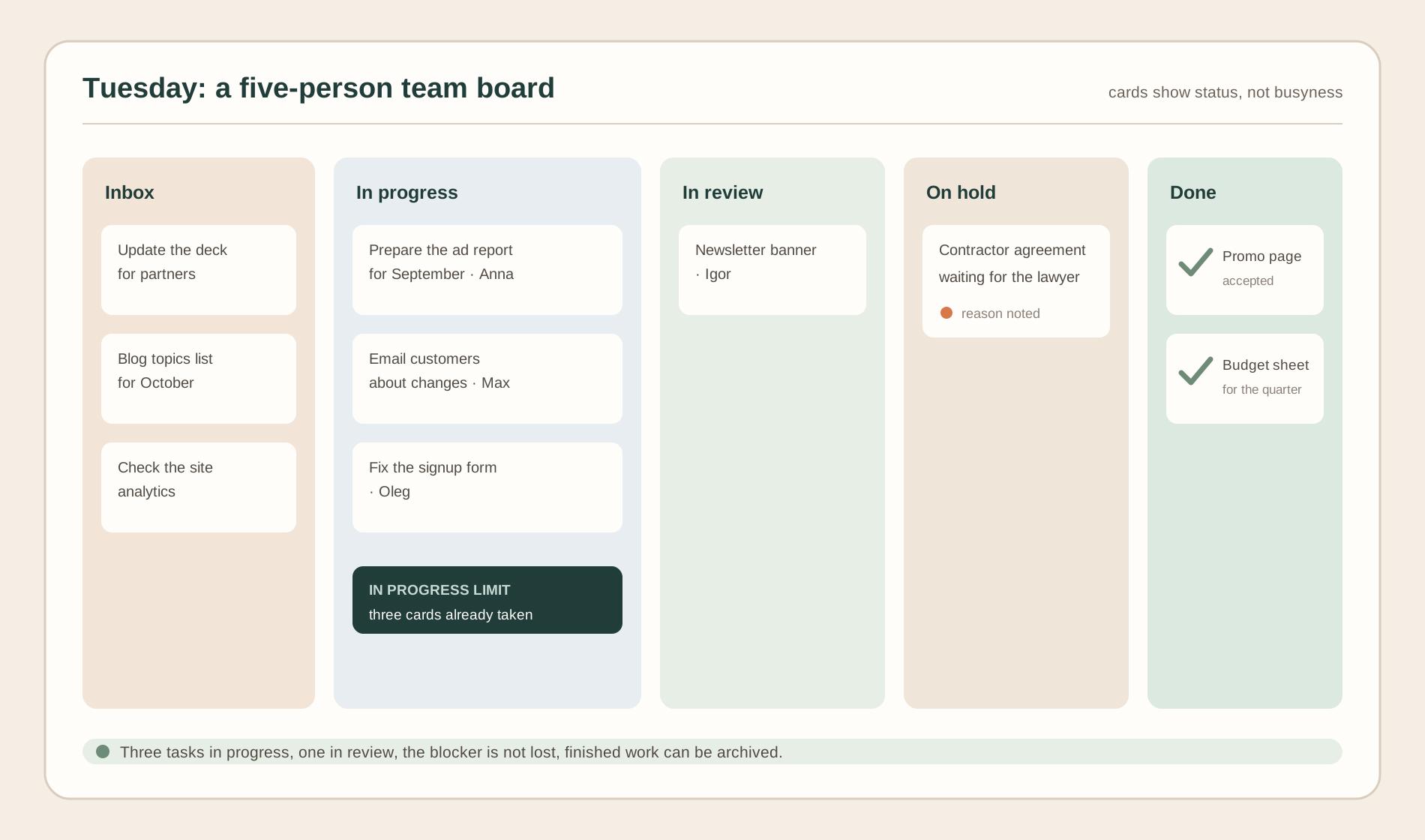
A team of five: a manager, two marketers, a designer and a developer. Here's what their board might look like on a Tuesday:
| Inbox | In progress | In review | On hold | Done |
|---|---|---|---|---|
| Update the deck for partners | Prepare the September ad report (Anna) | Newsletter banner (Igor) | Contractor agreement (waiting for the lawyer) | Promo landing page |
| Blog topics for October | Email customers about the changes (Max) | Quarterly budget spreadsheet | ||
| Check the site analytics | Fix the signup form (Oleg) |
What you see right away: nobody has more than one or two tasks; there's one card in review, so the queue isn't growing; the agreement isn't lost, it sits in "On hold" with a clear reason.
Common mistakes
- Too many columns. Ten stages instead of four: cards get lost and dragging them takes time.
- No "in progress" limit. The column swells and tasks start competing for attention.
- Cards without an assignee. Everyone assumes someone else will pick them up.
- The board doesn't reflect reality. Work happens in chats and the board gets updated once a week. Then people stop trusting it.
- "Done" keeps piling up. If nobody cleans this column, after a month the board holds dozens of old cards and the current ones are impossible to find.
- Everything is urgent. If every card is marked urgent, priority means nothing. Decide what goes first and order the cards in each column from top to bottom by importance.
- The manager moves the cards. Then the board becomes their personal tool rather than a shared picture of the work.
When kanban doesn't fit
Kanban works well when tasks come in continuously and at different times: support, marketing, small-scale development, client work. It fits worse in two cases.
- A project with fixed stages and dependencies. If the second task can't start until the first is done and deadlines shift in a chain, you need a schedule, such as a Gantt chart. For small projects, a board plus due dates on the cards is often enough.
- Sprints planned two weeks ahead. Scrum is a closer fit here, although kanban elements such as the board and limits work inside it too.
For most small teams that aren't building a complex product, kanban is enough.
How to set up a board in iTasker
If your team already talks in Telegram, it's convenient to keep the board right next to the chat. In iTasker, every project has a "Board" view with five columns: "Inbox", "In progress", "In review", "On hold" and "Done".
- Drag a card to the right column or change the status inside the task itself.
- A card has an assignee, a due date and a description, and complex tasks can get a checklist of subtasks.
- Filter the board by assignee to see who is working on what right now and spot overload.
- In a group project the board is shared: when one member changes a status, everyone sees it.
- The work-in-progress limit is easy to keep as a team agreement: check how many cards each person has in "In progress" and don't take new work until the current task is finished.
You can create a task straight from the chat by messaging the bot, and it lands in "Inbox".
FAQ
How many columns does a kanban board need?
Three to five is enough for a small team. Start with "Inbox", "In progress", "Done" and add "In review" and "On hold" when you see tasks getting stuck there.
Do I need a work-in-progress limit?
Yes. Without it, kanban turns into an ordinary list with columns. For a small team, "no more than two tasks in progress per person" works well.
How is kanban different from Scrum?
In Scrum, work is split into fixed-length sprints with planning; in kanban, tasks come in and get done continuously. Kanban is easier to adopt: a board and a few rules are enough.
How often should the board be updated?
Every time a task's state changes: someone starts it, finishes it or gets stuck. Not once a week at a status meeting. Then the board can be trusted.
Can I use kanban for personal tasks?
Yes. A personal board with "Inbox", "In progress" and "Done" columns helps you avoid taking on everything at once and shows what you've already finished.