iTasker vs UTasks: an alternative for a small Telegram team
If you are looking for a UTasks alternative, start with a simple question: what is missing? One team needs a shared status overview. Another wants a clear free starting point. A third wants fewer settings to manage.
This article is written by the iTasker team. Sources were checked on October 20, 2026. We recommend our product for the scenario described here, without inventing limitations for UTasks.
iTasker and UTasks: two ways to organise work
| App | How work is organised | What to test first |
|---|---|---|
| iTasker | An organisation, projects, Telegram and a web app | A shared team board; the free plan has 2 projects and up to 5 members each |
| UTasks | Personal and shared projects, areas and tasks in Telegram | Organising work into areas and assigning tasks through inline mode |
Both services support tasks in Telegram. A switch should improve everyday work, not merely replace the bot's name.
Why we suggest starting with iTasker
Imagine a small agency. A manager takes requests, a designer prepares layouts and an editor writes the copy. During the weekly call, the team needs to see what is underway, what needs client feedback and what is ready to deliver.
iTasker's browser-based status board gives that work a shared overview. A calendar provides another way to check deadlines. These are views of the tasks, not a reason to maintain another list manually.
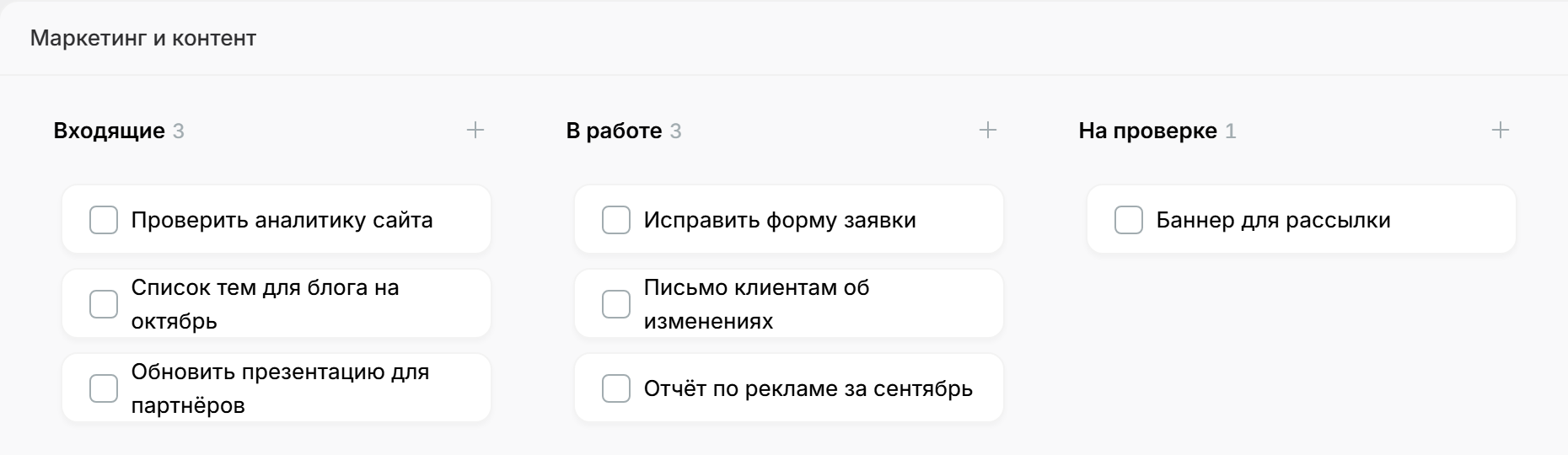
A real iTasker web board from our Kanban article. The interface shown is in Russian. A visual overview helps once the work is too much to keep in your head.
The free plan also has clear boundaries: 2 projects, up to 5 members per project and one assignee per task. See the complete iTasker plan details. That may be enough for a small team establishing a regular workflow without a paid subscription.
It is not a promise that the free plan will cover every agency. Check paid requirements before switching if you need multiple assignees, more projects or other paid features.
What to keep in mind before leaving UTasks
UTasks offers useful task-entry methods, including its interface, forwarded messages and inline mode. Its official task-creation guide covers these workflows. If your team relies on a particular method, include it in your test of an alternative.
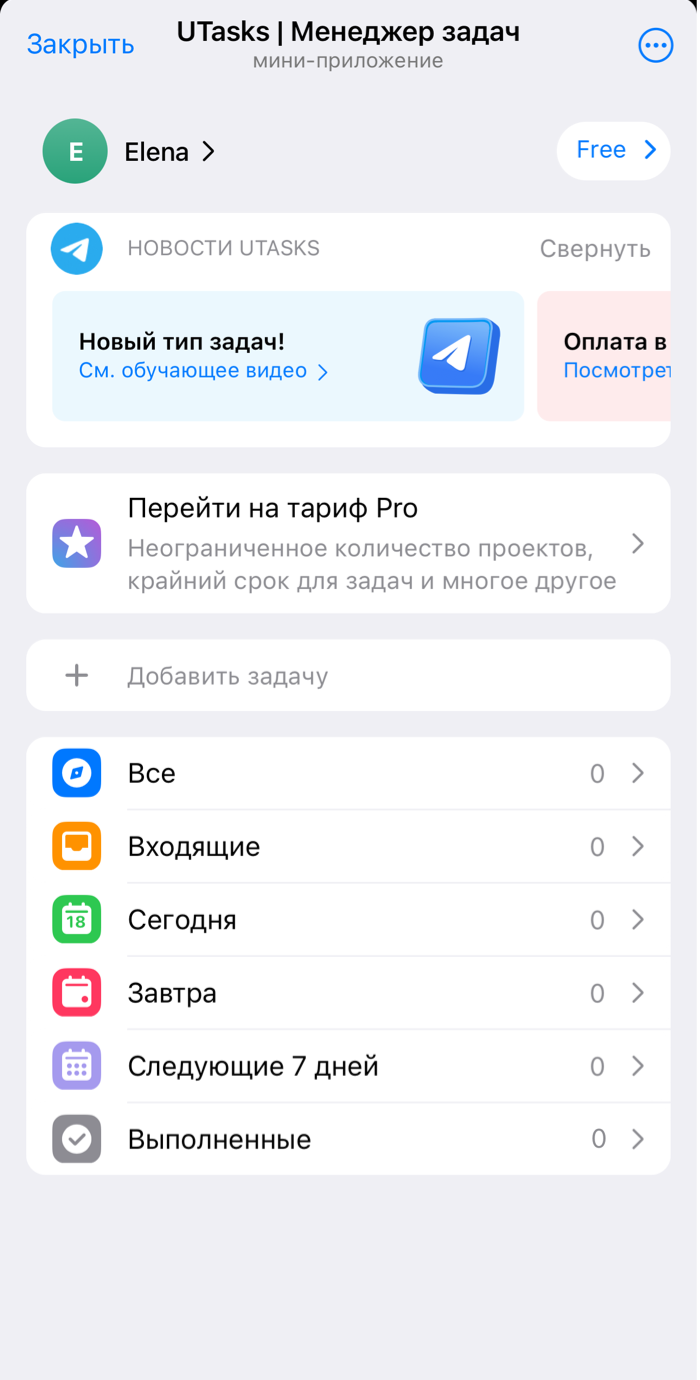
The home screen from the official UTasks getting-started guide. It is a documentation example in Russian, not our team's workspace.
Check voice workflows separately. UTasks already uses AI to process spoken and written requests, and supports meeting recordings. Its AI guide explains the details. iTasker also offers AI input, but the presence of AI alone does not establish which product is better.
Our recommendation rests on a different set of priorities: Telegram for everyday assignments, a visual browser overview and clear terms for free team use. If those are the things you need, the trial has a concrete purpose.
Switch without creating extra work
We are not promising automatic UTasks imports. This trial uses a small manual transfer. You may not need to move completed tasks at all.
You can start with the iTasker bot. Choose the process that made you look for a UTasks alternative in the first place.










'/%3e%3cg%20transform='translate(7.5%209.35)%20scale(0.0644)'%20fill='white'%3e%3cpath%20d='M296.63%2067.21C317.501%2046.2949%20351.375%2046.2591%20372.29%2067.1299C393.205%2088.0008%20393.241%20121.875%20372.37%20142.79L200.735%20314.79C190.699%20324.848%20177.074%20330.5%20162.865%20330.5C148.656%20330.5%20135.03%20324.848%20124.994%20314.79L15.6297%20205.192C-5.24109%20184.277%20-5.20533%20150.403%2015.7098%20129.532C36.625%20108.662%2070.4991%20108.697%2091.37%20129.612L162.864%20201.259L296.63%2067.21Z'/%3e%3cpath%20d='M221.5%2059.5C221.5%2092.3609%20194.861%20119%20162%20119C129.139%20119%20102.5%2092.3609%20102.5%2059.5C102.5%2026.6391%20129.139%200%20162%200C194.861%200%20221.5%2026.6391%20221.5%2059.5Z'/%3e%3c/g%3e%3cdefs%3e%3clinearGradient%20id='paint0_linear_logo_mark'%20x1='20'%20y1='0'%20x2='20'%20y2='40'%20gradientUnits='userSpaceOnUse'%3e%3cstop%20stop-color='%2379C9FF'/%3e%3cstop%20offset='1'%20stop-color='%23007AFF'/%3e%3c/linearGradient%3e%3c/defs%3e%3c/svg%3e)