How to assign a task to an employee: a template and examples

Most missed deadlines start not with a lazy assignee but with a task that was understood differently. "Prepare a report", "sort things out with the client", "make it look nice": the manager thinks it's all clear, and three days later the employee brings back something nobody expected.
In this article we'll break down what a good task consists of, give you a template you can paste into a chat or a tracker, and show the same example written badly and well.
What every task needs
A good brief answers six questions. If one of them has no answer, the assignee will fill in the gap themselves, and not always the way you wanted.
- What should come out of it. A concrete result, not a process. Not "work on the presentation" but "a 10-slide presentation for the client meeting".
- Why. One sentence about the goal. When people understand what a task is for, they make the right call on the small things you didn't describe.
- How to tell it's done. Acceptance criteria: what exactly you'll check when you accept the work.
- Due date. A date and a time, not "soon" and not "whenever you're ready".
- Who owns it. One assignee. A task shared by two people, in practice, belongs to no one.
- What's already there. Links, files, context, who to ask for details.
A task template
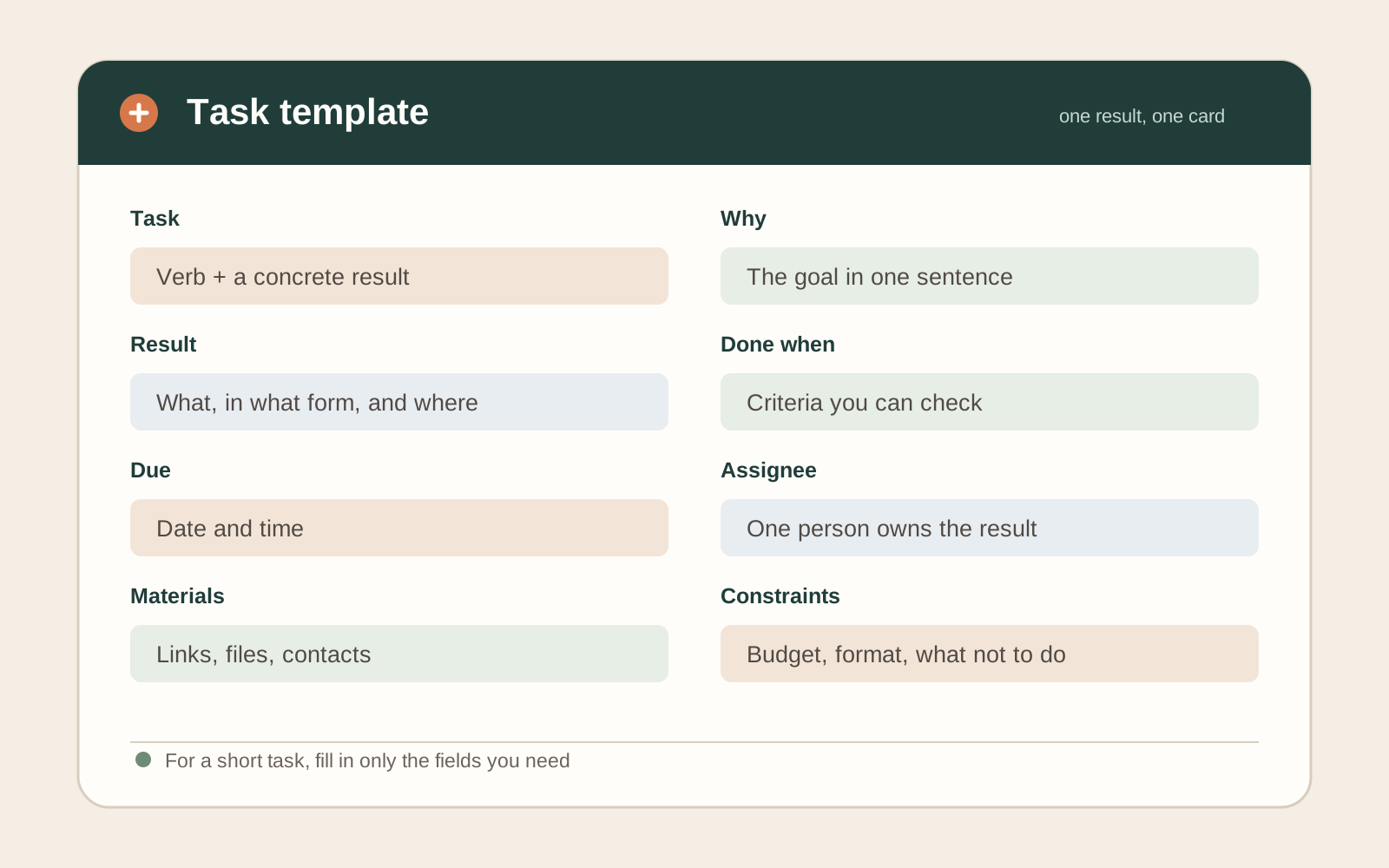
Copy it and fill it in. Three or four lines are enough for a small task; a big one needs every field.
Task: <verb + result, in one line>
Why: <the goal in one sentence>
Result: <what should come out, in what form and where it lives>
Done when:
 - <checkable criterion 1>
 - <checkable criterion 2>
Due: <date and time>
Assignee: <name>
Materials: <links, files, contacts>
Constraints: <budget, format, what not to do>
Start the task title with a verb: "Prepare", "Approve", "Check". The action is visible right away, and the titles read clearly in a task list.
A bad and a good example
Bad:
Andrew, prepare a sales report, it's urgent.
Unclear: for what period, in what format, for whom, and what "urgent" means.
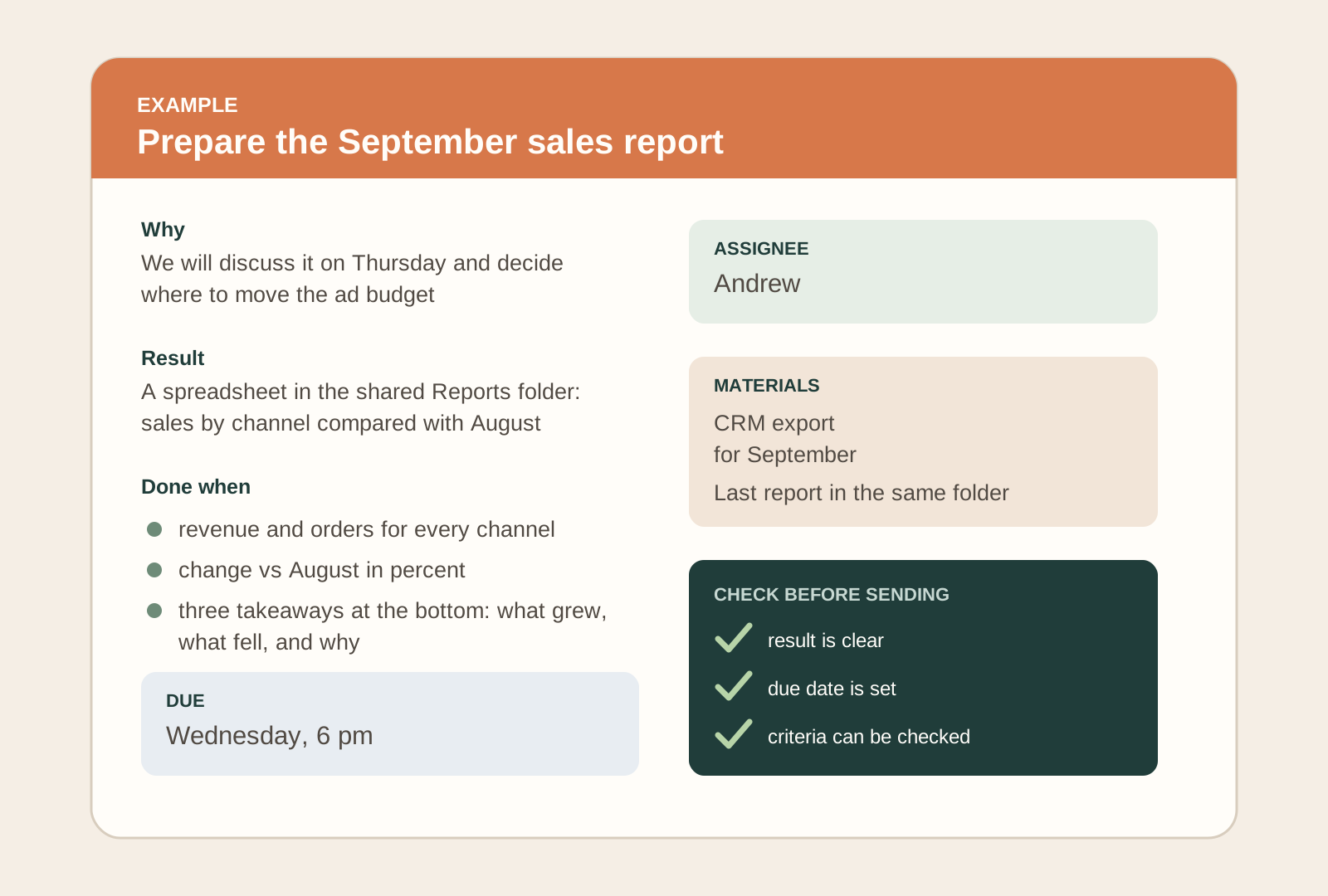
Good:
| Field | Value |
|---|---|
| Task | Prepare the September sales report |
| Why | We'll discuss it at Thursday's meeting and decide where to move the ad budget |
| Result | A spreadsheet in the shared "Reports" folder, one sheet: sales by channel compared with August |
| Done when | • revenue and order count for every channel • the change vs August in percent • three takeaways at the bottom: what grew, what fell, and why |
| Due | Wednesday, 6 pm |
| Assignee | Andrew |
| Materials | The September CRM export, last month's report in the same folder |
The good version is longer, but it saves both sides time: no questions along the way and no rework at the end.

How to check you were understood
Asking "Is that clear?" isn't enough: almost everyone says yes. Ask them to retell it instead.
- "Tell me in your own words what you'll do and what you'll deliver."
- "Where will you start?"
- "What could go wrong?"
If the retelling doesn't match what you meant, it's better to find out in the first minute than on the due date.
Due dates and checkpoints
One due date is enough for short tasks. If a task takes more than two or three days, split it into stages and set checkpoints: a draft, a first version, the final. Make the first checkpoint early, while changing course is still cheap.
Break a big task into subtasks with a checklist. The assignee sees their progress, and you see exactly where things stalled without asking "So, how's it going?".
Priority: what to do when there are many tasks
If the employee already has work, a new task needs a priority. Say it plainly: "This is more important than what you're doing, put that aside" or "Pick it up after the report". Otherwise they'll choose for themselves, and you'll find out from a missed deadline.
A simple rule helps: no more than two or three tasks "in progress" per person at a time. The rest wait in a queue with a clear order.
Control without micromanagement
Control the result and the checkpoints, not every step. Agree in advance:
- where the assignee updates the status (in the tracker or the chat), so you don't have to ask;
- when they should message you themselves: if the task is blocked, if the due date is at risk, if questions come up;
- when you'll look at the intermediate result.
If you ask "How's it going?" every day, your status system isn't working. Fix the system rather than asking more often.
Common mistakes when assigning tasks
- A task disguised as a hint. "It would be great if…" may not register as a task at all.
- No due date. A task without a due date gets lost among the ones that have one.
- Several tasks in one message. A week later nobody remembers the second point. One task, one record.
- Assigned in a private chat and never written down. A week later you and the employee will remember the conversation differently. The task should live where both of you can see it.
- Changed the requirements without saying so. If the requirements change, update the task and say so explicitly.
- No acceptance criteria. Then "done" means "I've finished", not "this is what was needed".
- Silently taking the task back. If you don't like the result, say what exactly to fix instead of redoing it yourself.
Checklist before you send a task
- The title starts with a verb and describes the result.
- The goal is stated: why it's needed.
- It's described what the finished result looks like and how it will be checked.
- There's a due date and time.
- There's exactly one assignee.
- Materials are attached and it's clear who to ask.
- The priority relative to the assignee's other tasks is clear.
- The agreement is written down where both of you will see it.
How to assign a task in iTasker
If your team talks in Telegram, it's easier to keep tasks where the discussion happens. In iTasker the template fields above map to real task fields:
- a title and a description with acceptance criteria;
- an assignee and a due date;
- a checklist of subtasks for complex work;
- a status on the board that shows what's in progress and what's waiting for review;
- a reminder to the assignee about the due date.
You can create a task straight from the chat through the bot, without opening a separate service, and then refine it in the mini app. The change history is kept, so a "but we agreed differently" argument is settled by opening the card.
FAQ
How detailed should a task be?
The more expensive a mistake and the less experienced the assignee, the more detail. For a routine task, three lines are enough for an experienced employee: the result, the due date, the done criterion. For a new kind of task or a new employee, fill in the whole template.
Do I need to explain why the task matters?
Yes. One sentence about the goal lets the assignee make the right decision where you didn't describe anything, and notice when the chosen approach isn't working.
How do I assign a task to a remote employee?
In writing, somewhere you can find it later. A call is fine for clarifications, but write down the final wording, the due date and the criteria. Written briefs matter even more for remote teams, because you can't see from someone's face that they didn't understand.
What if an employee keeps missing deadlines?
First check the brief: were the due date, the criteria and the priority clear? If they were, talk about the reasons: workload, missing information, difficulty. Only then draw conclusions about the person.
How do I assign one task to several people?
Split it into parts and give each part one assignee. If the task is shared, name one person responsible for the result who collects everyone's input and owns the due date.